
Introduction
Most businesses think:
“We have backups, so we are safe.”
But modern cyberattacks have evolved. Attackers no longer only target live servers—they also target your backups.
One of the most dangerous cybersecurity threats today is:
Backup Poisoning
Backup poisoning can destroy your disaster recovery plan completely, leaving your business with no clean data to restore.
What Is Backup Poisoning?
Backup poisoning is when attackers secretly modify, corrupt, or infect backup data so that backups become unusable or dangerous.
This means even if you restore your server after an attack, the restored system will still contain:
- malware
- ransomware traces
- corrupted databases
- backdoors
- infected files
So the business remains compromised.
Why Backup Poisoning Is More Dangerous Than Normal Ransomware
Normal ransomware encrypts your live data. You restore from backup and recover.
But backup poisoning attacks your recovery point.
So the business faces:
- longer downtime
- data loss
- repeated ransomware infections
- permanent system compromise
This is why backup poisoning is a growing threat in 2026.
How Backup Poisoning Happens
1. Malware Infection Before Backup Runs
If a server is infected, the backup system will automatically back up infected files.
That means the infection is saved inside your backup.
2. Attacker Gains Access to Backup Server
If the backup server has weak security, attackers can:
- delete backups
- encrypt backups
- modify backup files
- insert malicious scripts into backup data
3. Backup Credentials Are Stored on Production Server
Many companies store backup credentials directly on the server.
If attackers compromise production, they can access backup storage too.
4. Unsecured Backup Storage (Cloud Buckets)
Misconfigured cloud storage like:
- open S3 buckets
- public backup URLs
- weak IAM policies
can allow attackers to corrupt or download backups.
5. Long-Term Silent Compromise
Some attackers stay hidden for weeks. During this time, backups keep getting overwritten with infected data.
When you finally detect the attack, even your last 30 days of backups may already be poisoned.
Real Business Impact of Backup Poisoning
Backup poisoning can cause the following:
1. Extended Downtime
Businesses may remain offline for days or weeks because recovery fails.
2. Permanent Data Loss
If all backups are infected or corrupted, clean restore becomes impossible.
3. Financial Loss
E-commerce and SaaS businesses may lose customers permanently.
4. Compliance and Legal Issues
Data loss may violate compliance requirements (ISO, GDPR, etc.).
5. Reputation Damage
Customers lose trust if their data is lost or compromised.
Signs That Your Backups May Be Poisoned
Some warning signs include:
- backup size suddenly increases
- backup process fails unexpectedly
- strange encrypted files appear in backup storage
- restore attempts fail
- unexpected file changes in backup repository
- high CPU/disk usage during backup windows
How to Protect Your Business from Backup Poisoning
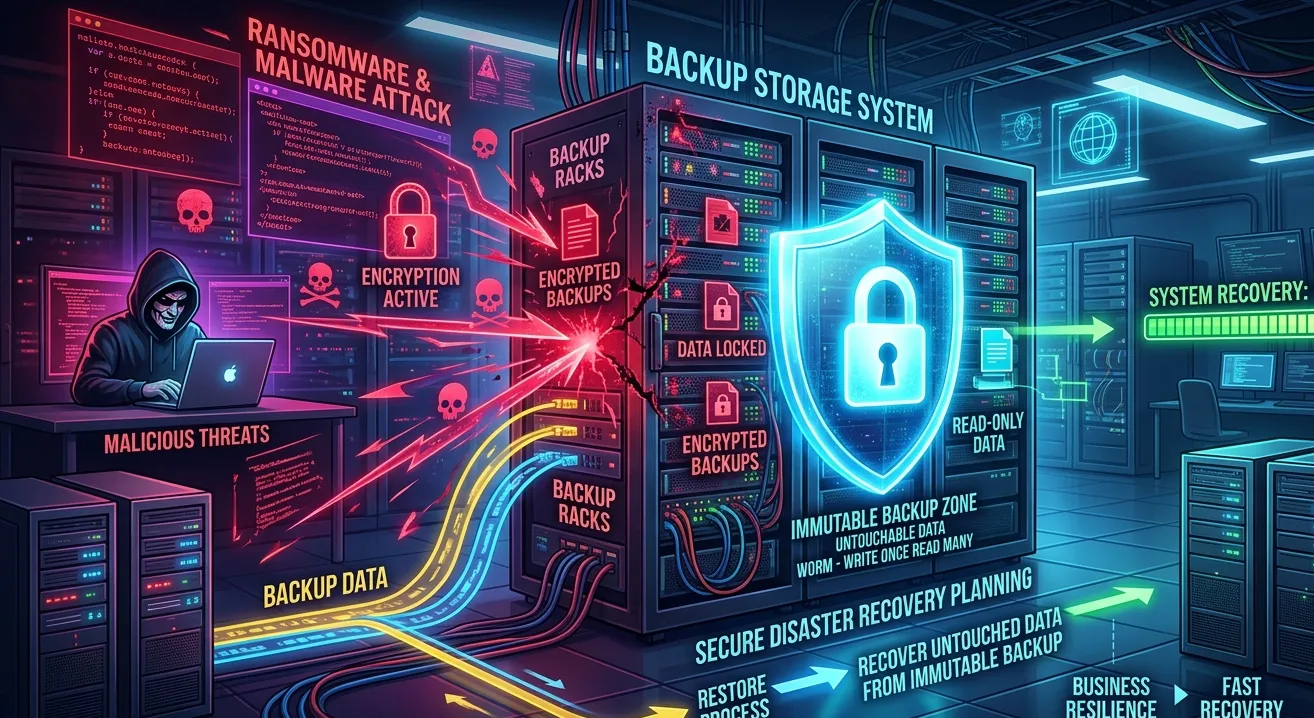
1. Use Immutable Backups
Immutable backups cannot be modified or deleted for a fixed period.
Even if hackers get access, they cannot change old backup versions.
Cloud providers support immutability features like:
- Object Lock (AWS S3)
- immutability in backup tools
- WORM storage
2. Follow the 3-2-1 Backup Rule
A strong backup strategy should include:
- 3 copies of data
- 2 different storage types
- 1 copy stored offsite
This ensures survival even if one backup system is compromised.
3. Isolate Backup Storage from Production
Backup storage should not be accessible using the same credentials as production servers.
Use separate authentication and restricted access.
4. Restrict Backup Access Using Least Privilege
Only backup services should have access.
No developer or admin should have full read/write access unless necessary.
5. Use Separate Backup Network (Backup VLAN / Private Network)
Backup servers should not be directly accessible from the public internet.
A private network adds strong protection.
6. Enable Multi-Factor Authentication (MFA)
Cloud backup accounts must have MFA enabled to prevent unauthorized access.
7. Regular Backup Restore Testing
Many businesses never test restore.
But restore testing is the only way to confirm:
- backup is clean
- backup is usable
- backup is not corrupted
Testing should be done monthly or quarterly.
8. Maintain Versioned Backups
Instead of overwriting backup daily, store multiple versions.
If recent backups are infected, older versions can still save your business.
Backup Poisoning in Cloud Infrastructure
Cloud backups are also vulnerable if:
- storage buckets are public
- access keys are leaked
- backup encryption is not enabled
- IAM roles are misconfigured
That’s why cloud backup security is as important as cloud server security.
How Adglob Infosystem Helps Secure Backup Systems
AtAdglob Infosystem, we provide complete backup security and disaster recovery services:
- backup architecture design
- immutable backup implementation
- cloud backup security (AWS / Azure / GCP)
- monitoring and alerting for backup systems
- ransomware-safe recovery planning
- regular restore testing and reporting
We ensure your backups remain safe, recoverable, and protected from modern cyber threats.
Conclusion
Backups are essential, but backups alone do not guarantee safety.
Backup poisoning is a serious cybersecurity threat where attackers destroy your recovery plan by infecting or corrupting backups silently.
By using immutable backups, versioning, access control, and regular restore testing, businesses can protect their data and ensure successful recovery during cyber incidents.
If you want a secure and ransomware-proof backup strategy, Adglob Infosystem can help you build it.