
Introduction
Have you ever noticed this situation?
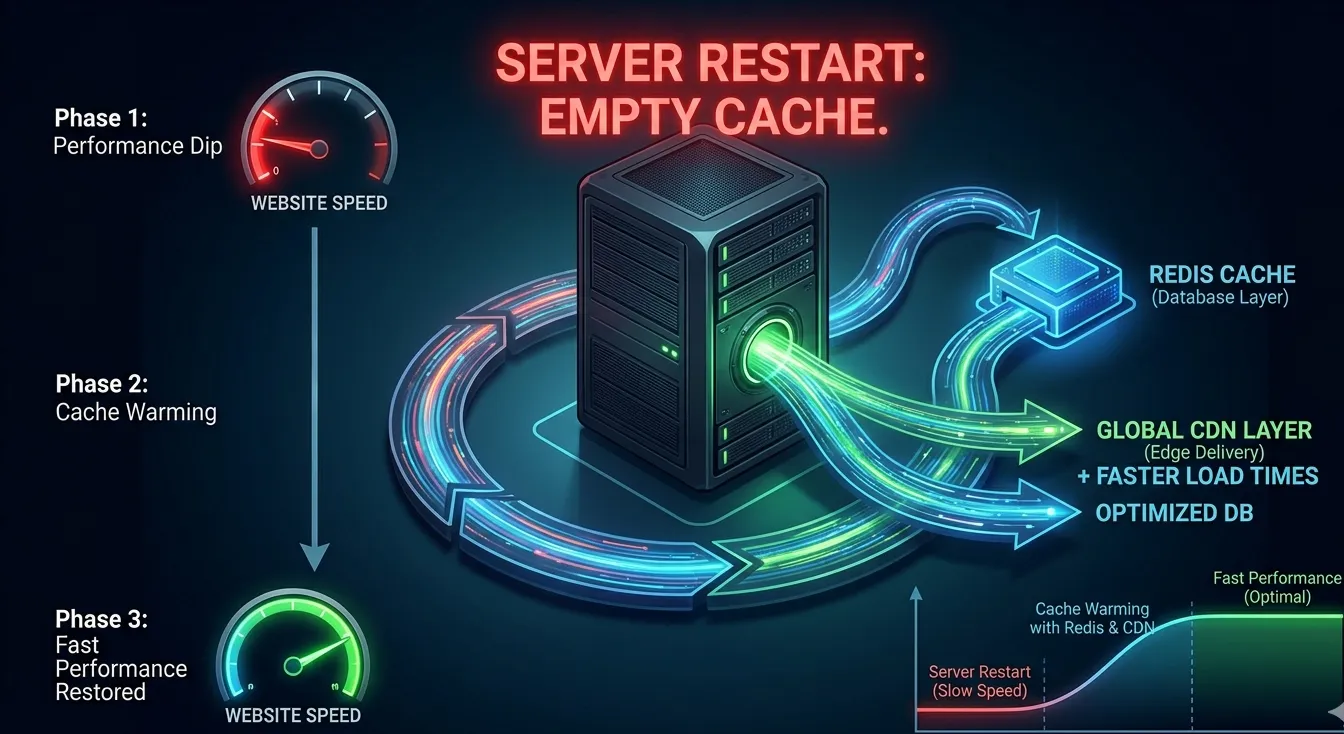
Your website runs perfectly fine.Then after a deployment, server reboot, or cache cleanup, suddenly the website becomes slow for some time.
Customers complain:
- “Website is taking too much time to load”
- “Dashboard is slow”
- “Product page is loading late”
But after 30 minutes or 1 hour, everything becomes normal again.
This is not a coincidence.This is a real performance issue calledCold Start Performance.
What Is Cold Start Performance?
Cold start refers to the period when your application starts from a “cold state” (no cached data available). During this time:
- Database queries increase suddenly
- CPU usage spikes
- Disk I/O increases
- API response time becomes slow
- Page load time becomes higher
Once caching rebuilds automatically, performance improves.
Why Cold Start Happens in Real Infrastructure
Cold start usually occurs due to:
1. Server Restart or Auto-Reboot
After reboot, memory cache is empty.
2. Deployment / Release Update
New code may clear cache or restart services like PHP-FPM, Node, or Java.
3. Cache Clear Commands
Many admins run cache clear commands like:
redis flushallwp cache flush- varnish cache clear
- application cache reset
4. Auto Scaling in Cloud
New instances launch with empty caches.
5. Database Buffer Pool Reset
In MySQL/PostgreSQL, buffer cache resets after restart. Queries become slower until frequently accessed data loads into memory again.
How Cold Start Impacts Business
Cold start performance issues may look temporary, but the impact can be serious:
- Poor first impression after deployment
- Higher bounce rate
- Customer dissatisfaction
- Slow checkout process
- Reduced sales conversion
- Higher server load leading to crashes
For e-commerce and high-traffic websites, this is a hidden revenue killer.
Why Caching Is the Best Solution
Caching is the most effective way to reduce cold start impact.
Caching stores frequently used data in faster storage layers such as:
- Redis / Memcached (in-memory caching)
- Varnish (HTTP caching)
- CDN caching (Cloudflare / CloudFront)
- Application-level caching
When cache is warmed properly, database load is reduced and performance remains stable.
The Real Problem: Cache Warming Is Missing
Most businesses use caching, but they do not implementCache Warming.
Cache warming means:
- Pre-loading the most important pages and queries into cache before users start visiting.
Example:After deployment, you automatically visit:
- homepage
- login page
- product category pages
- top product pages
- dashboard API calls
This rebuilds cache instantly.
Without cache warming, the first users after restart become “test users” who experience slowness.
Best Practices to Solve Cold Start Performance
1. Use Persistent Cache Layers
Use Redis caching for frequently accessed data and sessions.
This reduces repeated database queries after restarts.
2. Implement Automated Cache Warming
After every deployment, run a script that loads important pages.
Example tools:
- curl scripts
- automated bots
- cron-based warmup jobs
3. Avoid Full Cache Flush
Instead of flushing everything, clear only relevant cache keys.
Example:
- clear product cache only
- clear category cache only
- keep session cache intact
4. Use CDN for Static + Public Content
If your static files and public pages are cached at CDN level, users will not feel slowdown even if backend restarts.
5. Optimize Database Memory Cache
For MySQL/PostgreSQL:
- configure buffer pool properly
- tune memory allocation
- enable query optimization
This improves cold start database performance.
6. Rolling Deployment Instead of Full Restart
Instead of restarting the entire cluster at once:
- restart one server at a time
- keep other nodes running
- avoid full cold start situation
This is the best approach for zero-downtime deployments.
Redis Role in Cold Start Optimization
Redis is one of the most powerful tools for solving cold start issues because it can cache:
- session data
- frequently accessed query results
- application configurations
- API responses
- login tokens
Redis reduces load on MySQL/PostgreSQL and stabilizes response time.
How to Identify Cold Start Performance in Monitoring
Cold start issues can be detected by monitoring:
- sudden CPU spike after reboot
- high DB connections immediately after deployment
- increased response time for first 20–30 minutes
- cache hit ratio falling to 0% after restart
Monitoring tools like Zabbix, Grafana, and cloud dashboards can clearly show cold start behavior.
How Adglob Infosystem Helps Improve Cold Start Performance
AtAdglob Infosystem, we help businesses eliminate cold start slowness by providing:
- Redis caching implementation
- Varnish / CDN caching setup
- Automated cache warming solutions
- Database optimization (MySQL/PostgreSQL tuning)
- Load balancing and rolling deployment strategies
- 24/7 monitoring and performance reporting
We ensure your website stays fast even after deployments and restarts.
Conclusion
Cold start performance is one of the most ignored problems in IT infrastructure. Businesses often think it is “normal slowness after restart,” but in reality it can cause major user experience issues and revenue loss.
By implementing caching, cache warming, and optimized deployment strategies, businesses can maintain consistent performance 24/7.
If your application becomes slow after deployment or restart, Adglob Infosystem can help you fix it permanently.